How to Choose the Best Mini PC Under $500 in 2026?
A Mini PC under $500 can handle everyday work, study, streaming, and light creative tasks without taking over your desk. But a low price does not guarantee a good fit. A tiny metal case may look impressive, yet sustained heat can slow performance during long workloads. This 2026 guide focuses on the details that matter after setup, not just the numbers on a product page.
We’ll compare processor generation, memory capacity, storage, port selection, wireless support, and upgrade options. Check whether RAM runs in dual-channel mode and whether the SSD can be replaced. Look for clear warranty terms, too. Our fictional mini-PC analyst, Maya Chen, sums up the buying principle: “Choose for the work you actually do, and check what the small case can sustain.” This is an editorial line, not a quotation from a real expert. Treat it as a reminder to verify specifications and independent test results before buying.
The right pick depends on your daily routine. A student may value quiet operation and several USB ports; a home-office user may need two display outputs and reliable video calls. We’ll explain where spending a little more helps, and where it does not. Some listings are confusing, and model names can hide meaningful differences. That deserves a second look. A compact PC can be excellent value, but only when its limits match your expectations.
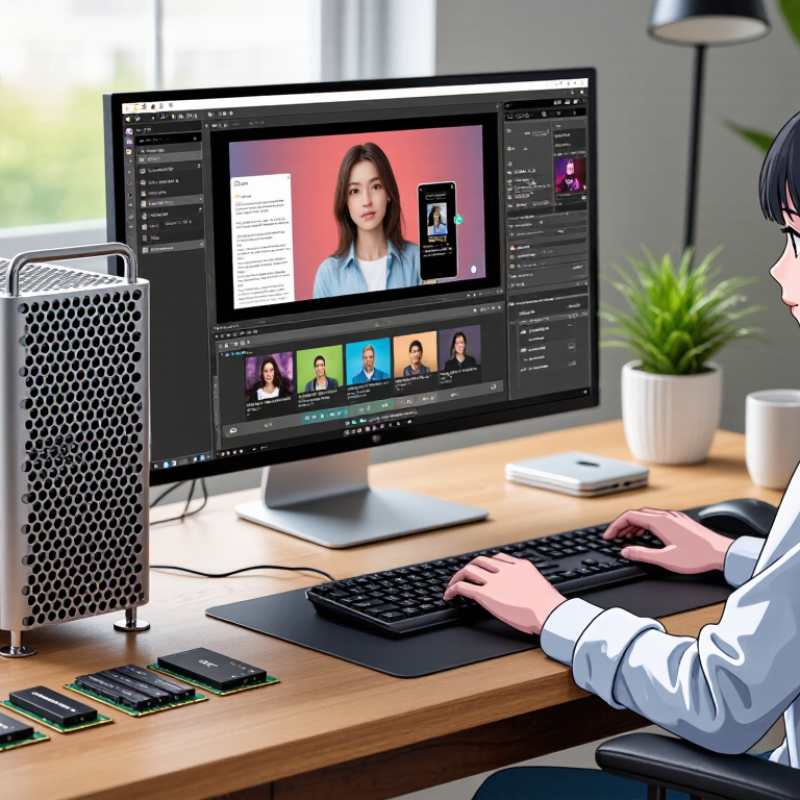
Define Your Needs and Set a Realistic $500 Budget
Before shopping, write down what the computer must do each week. A mini PC for email, spreadsheets, and video calls needs less processing power than one handling large photo files or demanding games. Note your usual apps, the number of screens you use, and whether you need quiet operation. Be specific. “Everyday use” can mean very different things.
Set $500 as the total budget, not just the device price. A keyboard, mouse, monitor, or storage upgrade can quickly use the remaining money. Keep room for those extras. Compare memory, storage, ports, and upgrade options against your actual tasks. More specifications are not automatically better; paying for power you rarely use is an easy mistake.
Tips: Check whether the listed price includes memory and storage. Look for enough USB ports and the display connections you need. Read independent tests for your workload, fan noise, and heat. If a review tests only basic browsing, it may not predict performance with your photo library. Leave some budget for a practical upgrade, but do not assume every part can be replaced later.
How to Choose the Best Mini PC Under $500 in 2026?
Define your needs and set a realistic $500 budget
A practical planning example allocates $360 to a mini PC with standard memory and storage, $55 for a possible upgrade, $45 for essential accessories, and $40 for tax or shipping. Prices vary by location and configuration, so prioritize the performance you need and adjust the estimates before buying.
Compare Processor, Memory, and Storage Options
Under $500, judge a mini PC by sustained performance, not a processor’s advertised boost speed. A recent six-core chip is often a better fit for multitasking than an older, higher-clocked four-core model. Check independent tests for prolonged workloads; tiny cases can throttle when heat builds. A fan that stays quiet is nice, but cooling matters more.
For memory, 16 GB is a practical floor for browsing, office work, and light editing. Choose 32 GB if you keep many tabs open or use demanding creative software. Confirm whether memory is replaceable; some compact systems solder it in.
For storage, a 512 GB NVMe drive gives room for applications and everyday files. Large video projects can fill it quickly. A second drive slot is useful, but verify its size and interface before buying.
Gartner forecast that AI PCs would make up 43% of worldwide PC shipments in 2025, or 114 million units. IDC’s May 2024 forecast put AI PC shipments at 167 million by 2027, nearly 60% of the market.
These forecasts do not mean every budget mini PC can run AI workloads locally. If that capability matters, check the processor’s supported features rather than relying on a label. One trade-off is easy to miss: extra memory may help more than a small processor upgrade, depending on your daily workload.
Evaluate Graphics, Connectivity, and Upgradeability
For a mini PC under $500, judge graphics by real workloads, not the “4K” label. Integrated graphics can handle office work and light photo editing, but newer games may need reduced resolution and detail. Check independent 3DMark or game benchmarks for the exact processor configuration; shared memory and cooling can change results. A tiny case may also throttle under sustained load. That trade-off is easy to miss.
Connectivity should match your desk. Count display outputs, USB ports, Ethernet, and audio before buying. The Wi-Fi Alliance’s 2024 Wi-Fi CERTIFIED 7 announcement describes 320 MHz channels and Multi-Link Operation, but these features help only when your router and network support them. USB-IF’s USB4 Version 2.0 specification lists speeds up to 80 Gbps. That is a maximum, not a promise: the computer, cable, and peripheral must all support the same mode.
Tips: Check whether RAM and storage use replaceable modules, then confirm the maximum supported capacity. Look for an accessible bottom panel and a second storage slot. Read teardown notes, not just the specification sheet. I’d leave room in the budget for a memory upgrade; still, upgradeability varies, and some compact systems offer little access. The cheapest option may become a frustrating one.
Check Performance for Your Apps, Games, and Workloads
A mini PC should be judged against the apps you actually use, not a headline processor speed. For office work, many browser tabs, video calls, and spreadsheets, check recent reviews for sustained performance and fan noise. 16 GB of memory is a sensible starting point; heavier creative projects may benefit from 32 GB. That matters. Also check whether memory and storage can be upgraded later, since a low purchase price can hide a fixed configuration.
For games, look beyond the word “gaming.” Integrated graphics can handle lighter titles, but demanding games may need reduced resolution and detail settings. Find tests for the specific games you play, ideally at 1080p, and note frame rates after several minutes. Short benchmark runs can miss heat-related slowdowns. I still find this easy to misjudge. A compact case may look tidy, yet run loudly under a sustained load.
Match the ports to your daily setup: count monitor connections, USB devices, and wired network needs before buying. For video editing or software development, check performance in comparable projects, not just synthetic scores. A fast processor cannot make up for too little memory or slow storage.
If a review does not identify its test settings, treat its results cautiously. Leave room in the budget for a monitor, keyboard, or external storage if you need them. Price and configurations change, so verify the exact model’s specifications before ordering.
Compare Total Cost, Warranty, and Seller Reliability
A mini PC advertised below $500 may cost more once you add shipping, tax, or needed accessories. Check the exact configuration before comparing prices: memory, storage, power adapter, and operating system can vary. A low-cost model with too little storage may need an upgrade soon. Small charges add up. I once focused too much on the headline price and overlooked a missing accessory; it was a small mistake, but an avoidable one.
Read the warranty terms before buying. Confirm how long coverage lasts, what parts it includes, and who pays shipping if repairs are needed. Check the return window separately, since it may be shorter than the warranty. Save the product page and receipt. That matters. A vague promise of “support” is less useful than clear instructions for starting a claim.
Seller reliability deserves the same scrutiny as hardware specifications. Look for a consistent sales history, recent detailed reviews, and a working way to contact the seller. Reviews can be biased or incomplete, so they are clues, not proof. Ask a practical question about returns or warranty service and note how clearly the seller responds. I would still treat online ratings cautiously; even careful research cannot guarantee a smooth repair experience. Weigh the full purchase cost against the support you can verify.


 House of Worship
 Transportation
 Trade shows led display
 retail
 Creative Led Solutions
 Hospitality
 Higher Education
 Corporate LED