Essential Tips for Understanding Edp Display Interface for Buyers?
Understanding the edp display Interface is crucial for any buyer in today’s tech-driven market. This interface connects your device to its display, typically through a thin, high-speed cable. Knowledge about the Edp Display Interface enables you to make informed choices when purchasing displays, whether for a laptop, desktop, or specialized screens.
Many buyers overlook the critical specifications of the Edp Display Interface, focusing only on brand names. The bandwidth and resolution capabilities significantly impact your user experience. For example, a higher pixel density demands more from the interface, and understanding these needs helps prevent future compatibility issues. Not all cables support every resolution, leading to potential frustrations.
Furthermore, evaluating the expected longevity and performance of your displays also ties back to this interface. Buyers often forget that the durability of connectors and cables influences overall display lifespan. This oversight can cost you time and money. It’s essential to weigh these factors when choosing products based on the Edp Display Interface. Embrace this knowledge to navigate the complexities of display technology confidently.
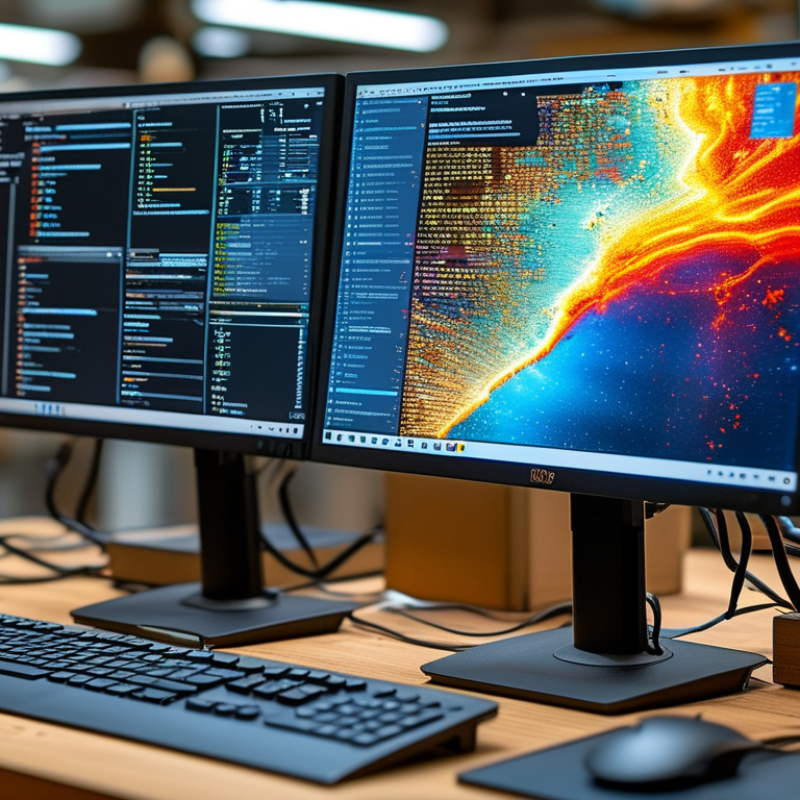
What is the Edp Display Interface and Its Applications?
The Embedded DisplayPort (Edp) display interface is a vital technology in modern electronics. It connects displays directly to graphics processors, ensuring high-quality data transfer. This interface supports various display resolutions, including 4K and even higher. Such clarity is essential for applications in gaming, graphic design, and professional video editing.
Understanding Edp is not just about its technical specifications. It’s also about its applications in real-world scenarios. Edp is widely used in laptops and monitors. Its compact nature allows for thinner devices without compromising performance. This is particularly important in today’s market, where consumers prefer lightweight and portable options.
However, the impact of Edp goes beyond convenience. Some users may find issues with compatibility between devices. Not all machines support the latest Edp versions. This can lead to frustrating experiences when upgrading systems. Buyers must research compatibility to ensure they make the right choice. The evolving landscape of display technology makes it essential for users to stay informed about updates and standards in Edp.
Key Features and Benefits of Edp Display Interfaces for Buyers
Understanding EDP (Embedded DisplayPort) display interfaces is crucial for buyers in today's tech landscape. EDP interfaces are vital in delivering high-resolution content with exceptional image quality. For instance, with a bandwidth of up to 8.1 Gbps per channel, they support resolutions as high as 4K at 60 Hz. This makes them ideal for modern displays requiring sharp and vibrant visuals.
Another significant advantage of EDP interfaces is their efficiency. They enable multiple display configurations, which enhances versatility in applications from consumer electronics to professional displays. A report by Digitimes states that EDP adoption in laptops grew by over 35% last year alone. This trend shows the increasing reliance on EDP for portable devices, where slim profile and energy efficiency matter.
However, buyers should also be aware of the limitations. EDP does not support any external devices directly. This can lead to complications when trying to connect additional peripherals. A study by IHS Markit highlighted that 25% of users faced challenges in connectivity due to this restriction. Understanding these nuances is crucial for making informed decisions when shopping for display solutions.
Understanding Compatibility: Edp Display Interface and Hardware Requirements
When considering the Embedded DisplayPort (eDP) interface, understanding its compatibility with hardware is essential. eDP has become vital in the display technology sector, particularly in laptops and monitors. According to industry reports, eDP now accounts for over 70% of the display interfaces used in new devices. Compatibility involves both the physical connector type and the underlying data transmission protocols.
Buyers should carefully assess their hardware's support for eDP features. Not all devices are built equal. Some may support older versions with fewer capabilities. For example, the latest eDP 1.4 standard allows for higher resolutions and refresh rates. However, older graphics cards may not fully utilize these advantages.
Tip: Always check your graphic card specifications before purchasing an eDP display. This ensures optimal performance and visual quality.
Another critical aspect is power management. eDP is designed for low power consumption, which is essential for portable devices. Yet, integration depends on the device's power architecture. Slight discrepancies in power requirements could lead to performance issues.
Tip: It's wise to consult technical documentation to verify power requirements. This can save time and prevent frustration later.
Essential Tips for Understanding Edp Display Interface for Buyers
| Dimension | Description | Compatibility Requirements | Notes |
| Resolution | The number of pixels displayed on the screen | Ensure the graphics card supports the desired resolution | Common resolutions include 1920x1080 and 2560x1440 |
| Connector Type | Type of connector used for the display interface | Must match the ports available on your device | Common types include eDP, LVDS, and HDMI |
| Refresh Rate | The number of times the display is updated per second | Make sure the graphics card can support the refresh rate. | 60Hz is common, but gaming monitors may go up to 144Hz or more |
| Color Depth | The number of bits used to represent the color of a single pixel | Check if the graphics hardware supports the required color depth | Higher color depth (like 10-bit) provides better color accuracy |
| Form Factor | Physical size and shape of the display | Compatibility with your device’s design and layout | Ensure it meets mounting requirements |
Tips for Evaluating and Comparing Edp Display Interface Products
When evaluating EDP display interfaces, buyers should focus on several key factors. Resolution is crucial. Higher resolution means clearer and sharper images. Consider the pixel density as well. A higher pixel density often leads to better detail. The refresh rate is equally important. A higher refresh rate reduces motion blur. This feature is essential for smoother visuals.
Another aspect to assess is the compatibility of the display interface. Check if the interface integrates well with your existing devices. Look for the types of connections it supports. HDMI and DisplayPort are common options, but it’s vital to ensure they fit your needs. Additionally, consider the color reproduction capabilities. Good color accuracy can significantly enhance your visual experience.
Don’t overlook user reviews. They provide insights into real-life performance. However, take them with caution. Some reviews may be biased. Look for trends in feedback rather than isolated opinions. Ask yourself if the product meets your specific requirements and preferences. This reflection is crucial. Think critically about the features that truly matter to you.
Common Issues and Troubleshooting for Edp Display Interfaces
The Embedded DisplayPort (eDP) interface is widely used in modern display technologies. While it offers many advantages, buyers often face common issues that require troubleshooting. Understanding these problems can help ensure a smooth user experience.
One prevalent issue is signal degradation. Cable quality greatly affects the performance of eDP connections. A poor quality cable can lead to image artifacts or flickering. According to industry reports, around 30% of display issues are linked to inadequate cabling. Regularly check connections and use high-quality cables to mitigate this risk.
Another frequent problem is compatibility. Not all devices support the same versions of eDP. Users may encounter difficulties when pairing older devices with new displays. Buyers should confirm compatibility based on the eDP version required for their devices. Research shows that up to 25% of display malfunctions arise from mismatched versions.
Tips: Always consult your device specifications before making a purchase. Proper documentation can save substantial time and money. Additionally, performing regular firmware updates on displays and connected devices can enhance performance and minimize issues. Take these steps to ensure a better experience with eDP displays.


 House of Worship
 Transportation
 Trade shows led display
 retail
 Creative Led Solutions
 Hospitality
 Higher Education
 Corporate LED